

For small businesses and accountants, one of the most frustrating tasks is getting bills and receipts into Xero. Whether they arrive as PDFs, email attachments, or paper scans, the process of uploading and categorizing them can eat up hours every month.
The good news is that there are easier ways. Xero offers built-in tools for capturing documents, and with advanced automation from Nifty AI, you can streamline the entire process from inbox to audit-ready books.
Why Getting Bills and Receipts into Xero Matters
Bills and receipts are not just paperwork they are the backbone of accurate bookkeeping and financial transparency. Every document represents money leaving your business, and if they aren’t captured correctly, your financial records quickly lose reliability.
- Accurate expense tracking: Each bill or receipt provides evidence of a financial transaction. Without proper recording, expenses may be misclassified or missed entirely, leading to distorted profit and loss statements. For example, if recurring software subscriptions are logged under “Miscellaneous” instead of “IT Expenses,” your reports won’t reflect true spending patterns.
- Tax compliance: Receipts are proof of expenses. Missing or misfiled documents can mean lost deductions, higher tax liabilities, or even penalties during audits. Organized receipts ensure you claim every legitimate expense and stay compliant with tax authorities.
- Audit readiness: Auditors expect a clear trail of supporting documents. Having bills and receipts properly stored in Xero reduces stress, speeds up the audit process, and builds trust with stakeholders.
- Cash flow clarity: Bills show upcoming obligations, while receipts confirm spending. Together, they provide visibility into where money is going, helping you forecast budgets, manage liquidity, and avoid cash crunches.
- Strategic decision-making: Categorized receipts reveal spending trends. For example, rising supplier costs or recurring subscription fees can highlight areas for negotiation or cost control. Clean data empowers smarter business decisions.
In short, bills and receipts are the foundation of financial transparency, compliance, and strategic growth. Without them, businesses risk inaccurate reporting, missed deductions, and poor cash flow management.
Traditional Method: Manual Uploads
Most businesses begin with manual uploads when they first adopt Xero. While simple, this approach quickly becomes inefficient as transaction volumes grow.
- Scanning paper receipts: Business owners often collect paper receipts from travel, meals, or office purchases. These must be scanned, saved as PDFs, and uploaded into Xero. This process is slow, prone to missing documents, and often results in stacks of unprocessed receipts at month-end.
- Downloading PDF invoices: Vendors frequently send invoices by email. Each one must be downloaded, renamed, and manually attached to a bill in Xero. If you forget or misplace the file, the expense may go unrecorded, creating gaps in your books.
- Drag-and-drop uploads: Xero allows you to drag and drop files into the “Bills” section. While convenient for small volumes, it becomes repetitive and tedious when handling dozens or hundreds of receipts.
- Manual categorization: After uploading, each bill or receipt must be categorized manually. This adds another layer of repetitive work and increases the risk of misclassification.
- Duplicate risk: When multiple team members upload receipts, duplicates often slip in, creating confusion and errors in reporting.
- Limited scalability: As businesses grow, manual uploads can consume hours every week, pulling focus away from strategic tasks.
Manual methods may work for very small businesses, but they quickly become a bottleneck. The more transactions you process, the more time you waste on repetitive uploads and the higher the risk of errors.
Built-in Xero Tools for Capturing Documents
Xero provides several features to make the process easier:
- Email to Xero: Forward receipts to your unique Xero email address.
- Xero App: Snap photos of receipts with your phone and upload instantly.
- Hubdoc Integration: Capture and store documents automatically.
These tools reduce manual effort but still require you to manage multiple sources and check for duplicates.
Advanced Automation with Nifty AI
This is where Nifty AI takes the process to the next level:
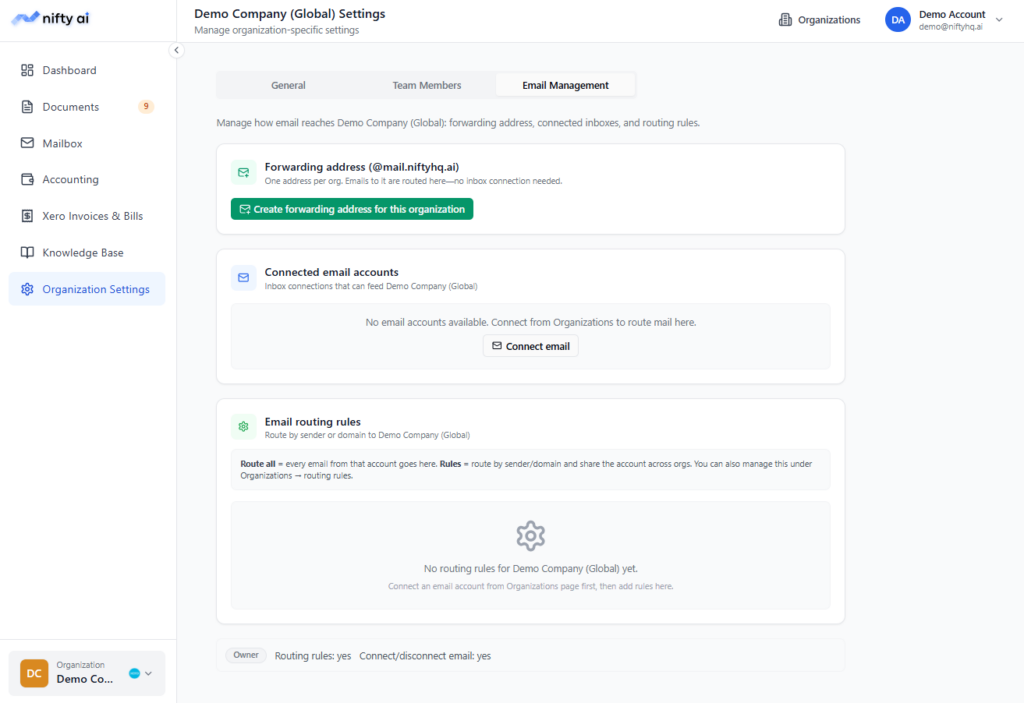
- Email-first automation: Instead of forwarding receipts manually, Nifty AI connects directly to Gmail or Outlook. Bills and receipts are captured automatically.
- Smart extraction: AI reads PDFs, images, and email text to extract vendor, date, amount, and category.
- Duplicate detection: Prevents double uploads by flagging identical documents.
- Pending review workflow: Documents that need human approval are held for review, ensuring compliance.
- Direct sync with Xero: Once verified, documents flow into Xero as bills or receipts, already categorized.
- Multi-organization support: Manage receipts across multiple companies from one dashboard.
Scalable processing: Whether you process 50 receipts or 5,000, Nifty AI scales effortlessly.
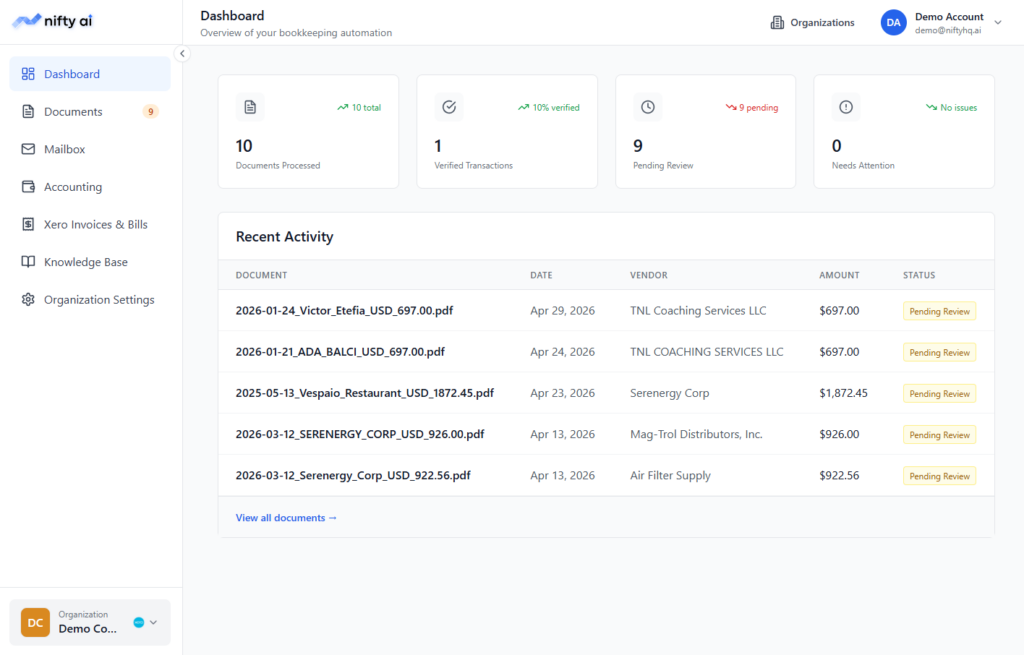
Step-by-Step Guide: The Easiest Way to Get Bills and Receipts into Xero
- Connect your email accounts
- Link Gmail or Outlook to Nifty AI.
- All incoming receipts and bills are captured automatically.
- Set up forwarding addresses
- Use Nifty AI’s forwarding address to route documents directly into the right organization.
- Review pending documents
- AI categorizes most receipts automatically.
- Any exceptions are flagged for human review.
- Approve and sync
- Once approved, documents are synced into Xero as bills or receipts.
- Categories and amounts are already applied.
- Audit trail and reporting
- Every document is logged with a traceable audit trail.
- Reports in Xero reflect accurate, categorized expenses.
Benefits of Automating Document Capture
Time savings
Manual uploads require scanning, downloading, renaming, and attaching files one by one. Automation eliminates these repetitive steps. Bills and receipts flow directly from email or forwarding addresses into Xero, already categorized. For a business processing hundreds of documents monthly, this can save dozens of hours that can be redirected to strategic work.
Error reduction
Human fatigue often leads to mistakes: misclassifying expenses, duplicating uploads, or missing receipts entirely. AI ensures consistent categorization by applying learned rules across all documents. Duplicate detection prevents double entries, keeping your books clean and reliable.
Audit readiness
Every document captured automatically is logged with a traceable audit trail. This means auditors can see exactly when a receipt was processed, how it was categorized, and whether it was reviewed. Instead of scrambling to gather paperwork, businesses can provide a complete, organized record instantly.
Scalability
Manual methods may work for a handful of receipts, but they collapse under the weight of hundreds or thousands. Automated capture scales effortlessly, handling growing transaction volumes without slowing down. Whether you’re a startup or a large firm, the system adapts to your needs.
Team efficiency
With approval workflows, multiple team members can collaborate without confusion. For example, junior staff can upload or review receipts, while managers approve exceptions. This structured process reduces bottlenecks and ensures accountability across the team.
Cost savings
Reduced bookkeeping hours translate directly into lower operational costs. Instead of paying for manual data entry, businesses invest in automation that delivers faster, more accurate results. Over time, the ROI compounds as transaction volumes grow.
Financial clarity
Clean, categorized receipts provide better insights into spending patterns. Businesses can quickly identify rising costs, recurring subscriptions, or unnecessary expenses. This clarity supports smarter budgeting and long‑term financial planning.
Real-World Example
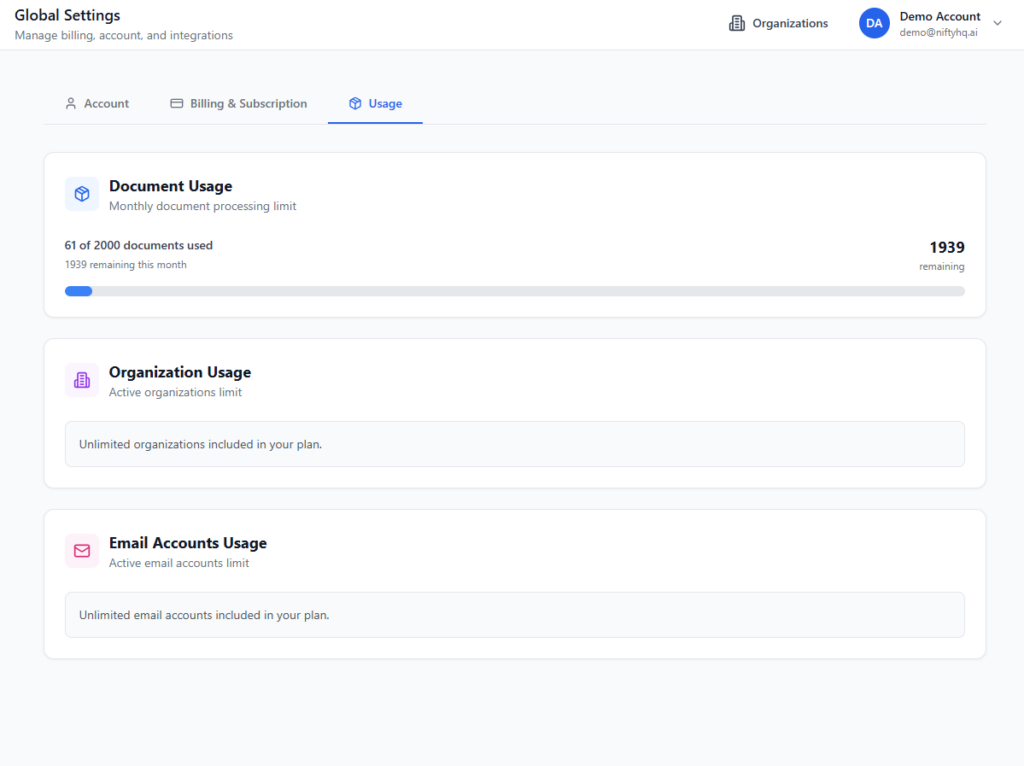
A consulting firm receives 200 receipts monthly from travel, meals, and software subscriptions. Manually uploading them into Xero takes 8-10 hours. With Xero’s email-to-Xero feature, that drops to 5 hours. With Nifty AI, the process takes less than 1 hour, with receipts automatically categorized and synced into Xero.
Conclusion
Getting bills and receipts into Xero doesn’t have to be a manual headache. By combining Xero’s built-in tools with advanced automation from Nifty AI, businesses can save time, reduce errors, and stay audit-ready.
Automation isn’t just about speed, it’s about building reliable financial systems that scale with your business.
Ready to simplify your bookkeeping? Try Nifty AI and experience the easiest way to get bills and receipts into Xero.